Guide
What is a normal CPU temperature for a MacBook (M1, M2, M3, M4)?
Short answer: a MacBook with an M1, M2, M3 or M4 chip idles around 35 to 45 °C, sits at 50 to 70 °C during everyday work, and climbs to 85 to 100 °C under sustained heavy load. All of that is normal. Apple designs these chips to run hot and to slow themselves down automatically before heat could cause damage. Here is how to read the numbers and when a high temperature actually means something.
Typical ranges
| Situation | Typical CPU temperature | What it means |
|---|---|---|
| Idle, screen on | 35 to 45 °C | Normal. Warm room or charging adds a few degrees. |
| Browsing, writing, video calls | 50 to 70 °C | Normal. Short spikes into the 80s are fine. |
| Exporting video, compiling, gaming | 85 to 100 °C | Normal under sustained load. Fans spin up on Pro and Max models. |
| Above 100 °C for long periods | 100 to 108 °C | The chip is at its limit and throttling. Expected on fanless MacBook Air under heavy load. |
These are readings from the CPU die sensors as reported by monitoring apps; different apps summarize the sensors differently, so expect a few degrees of variation between them. Apple does not publish an official maximum junction temperature for its chips.
Fanless vs fan-cooled
The MacBook Air has no fan. Under a long heavy load it reaches its limit sooner and throttles to stay there, which is by design and completely safe, but it does mean a 10-minute export runs slower on an Air than on a MacBook Pro with the same chip. MacBook Pro models have fans that usually stay off until the chip is well past 90 °C, so a quiet Mac at 95 °C is not a contradiction.
The number that matters more than degrees: thermal pressure
macOS continuously rates the thermal situation as Nominal, Fair, Serious or Critical and uses that rating, not a fixed temperature, to decide when to slow the CPU. You can see the current throttling state in Terminal:
pmset -g therm
CPU_Speed_Limit = 100 means no throttling. Monitoring apps such as iStat Menus, Stats and ThermPort show the thermal pressure state next to the temperature. A MacBook that reports Nominal at 95 °C under load is behaving exactly as intended.
When a high temperature is a real problem
- Hot at idle. 70 °C or more with nothing open usually means a runaway process. Open Activity Monitor, CPU tab, sort by % CPU. Common culprits: Spotlight indexing after an update or migration, a browser tab, a cloud sync client re-scanning, or a stuck helper process.
- kernel_task using lots of CPU. That is macOS deliberately taking CPU time away from your apps to reduce heat. It is a symptom, not the cause; look for what is heating the machine, or for blocked vents.
- Fans at full speed with low load. Dust in the intakes, a soft surface blocking airflow (bed, couch), or a very warm room.
- Serious or Critical thermal state repeatedly under light use. Worth a clean-out and, if it persists, a hardware check.
How to keep temperatures down
- Find the process behind the heat before changing anything else (Activity Monitor or a menu bar monitor with a top-processes list).
- Use native resolution on external displays where you can; scaled resolutions cost GPU power all day.
- Keep the Mac on a hard, flat surface or a stand so the intakes can breathe.
- Charge with the Mac awake and lightly loaded when possible; charging adds heat.
- Turn on Low Power Mode when you do not need peak performance; it caps the heat as well as the battery drain.
- Clean the vents once a year on fan-cooled models.
Keeping an eye on it
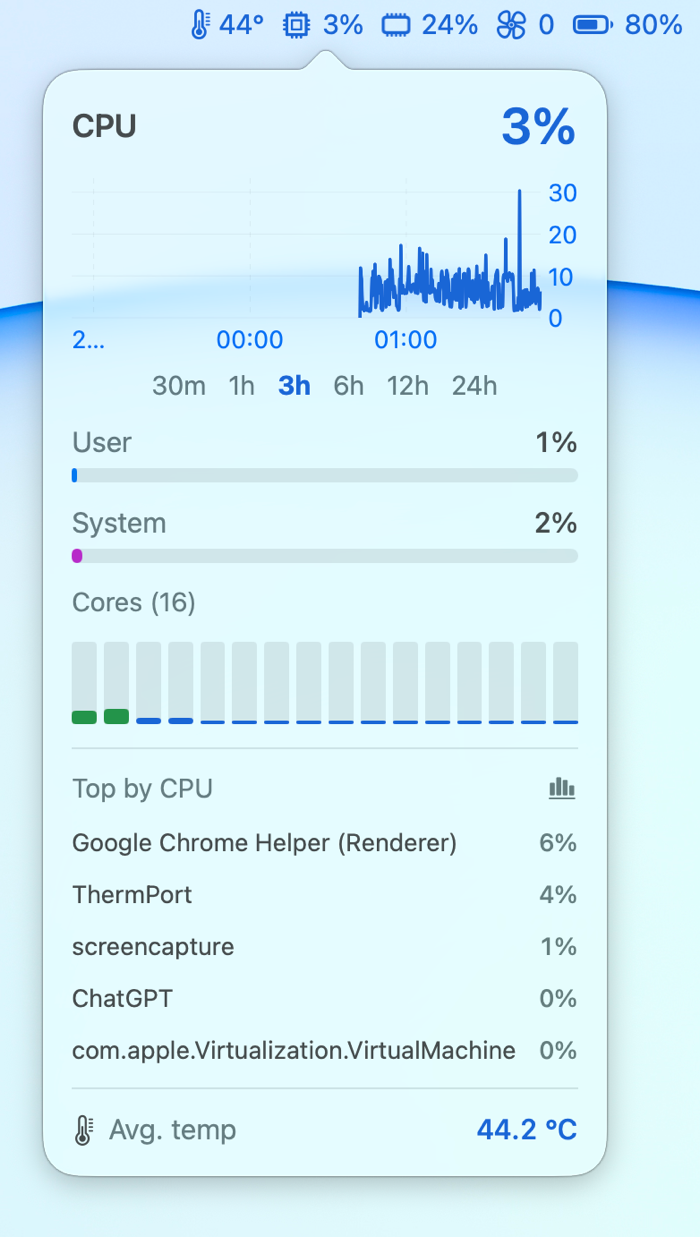
If you want to know what your Mac is doing without opening Activity Monitor, a menu bar monitor shows the temperature, thermal state and fan speed at a glance. Stats and Hot are free and open source, iStat Menus is the full-featured paid option, and our own ThermPort is the small one: temperature plus nine other metrics in the menu bar, a live chart behind each, about 15 MB of memory, with long-term history so you can see whether the hot afternoons started after that macOS update or after you added the second display.
Frequently asked questions
Is 100 °C too hot for an M1, M2, M3 or M4 MacBook?
Under sustained heavy load, no. Apple Silicon is designed to run near 100 °C and throttles automatically. It becomes a concern only if the Mac reaches those temperatures at idle or reports a Serious or Critical thermal state during light use.
Why does my MacBook Air get hotter than a MacBook Pro with the same chip?
The Air has no fan, so under a long heavy load it reaches its thermal limit sooner and slows down to stay there. It is safe, but sustained tasks take longer than on a fan-cooled MacBook Pro.
What is a normal idle temperature for a MacBook?
Roughly 35 to 45 °C with the screen on and nothing heavy running. A warm room or charging can add several degrees.
Does kernel_task using a lot of CPU mean my Mac is overheating?
It means macOS is managing heat by reserving CPU time, which it does when the chip or the enclosure is warm. Check what else is running and whether the vents are blocked.

ThermPort puts CPU temperature, fan speed, memory, power and more in your Mac's menu bar in a 15 MB app. 14-day free trial, one-time purchase, Apple Silicon only.
Learn more